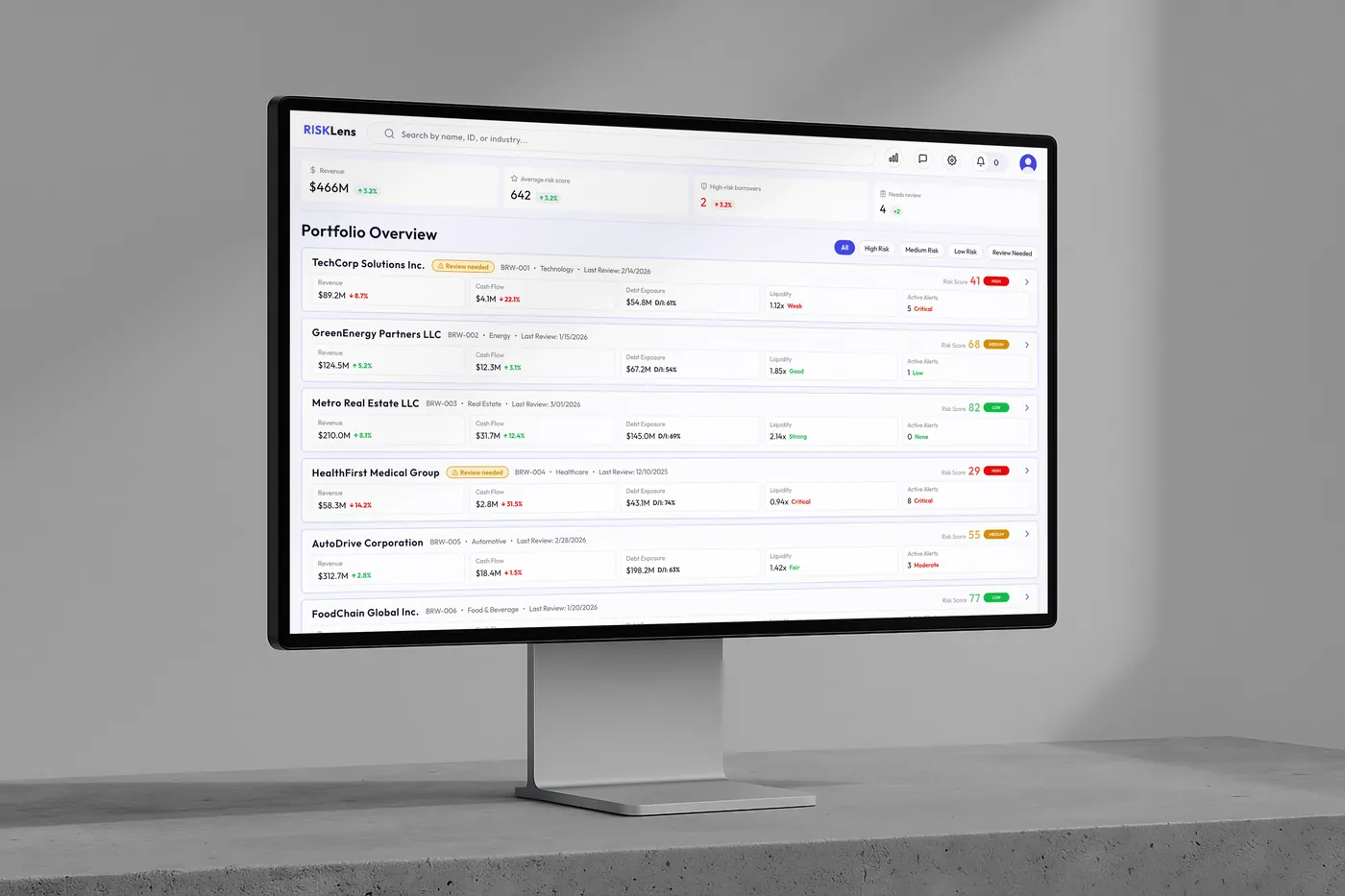
RISKLens: Financial Risk Assessment SaaS
Most fintech risk analysis tools bury critical signals under overwhelming data layers, forcing analysts to hunt for insights instead of making confident decisions.
I designed a scannable risk workflow that prioritizes key signals through information hierarchy and progressive disclosure, then used AI-assisted development to turn Figma designs into production code and ship a responsive SaaS product in 2 weeks.
The problem
Most risk analysis tools in fintech are hard to skim. Large amounts of financial data need to be understood quickly, but the interfaces make it overwhelming.
Key challenge
Speed and clarity shouldn't be a trade-off
User context
Risk analysts review multiple borrowers regularly to monitor financial health and identify potential risk.
They need to
- Scan portfolios fast
- Spot high-risk accounts immediately
- Investigate why a borrower is risky
- Decide whether to monitor, review, or escalate
Execution framework
01
Research
Studied similar SaaS tools to understand what risk analysts actually need to see first.
02
Design principles
- Prioritize risk visibility
- Support fast scanning
- Progressive disclosure
- Keep the interface calm
03
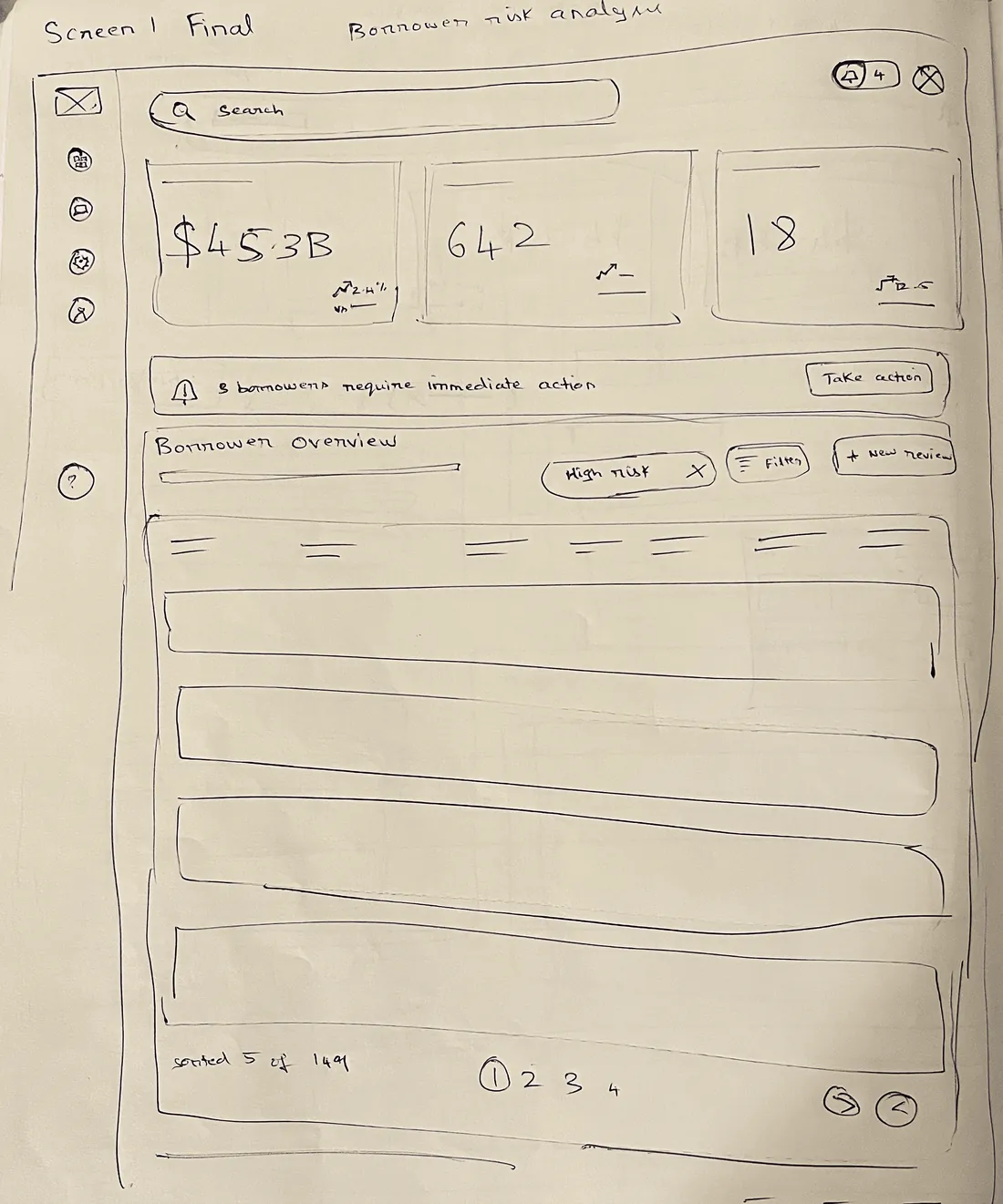
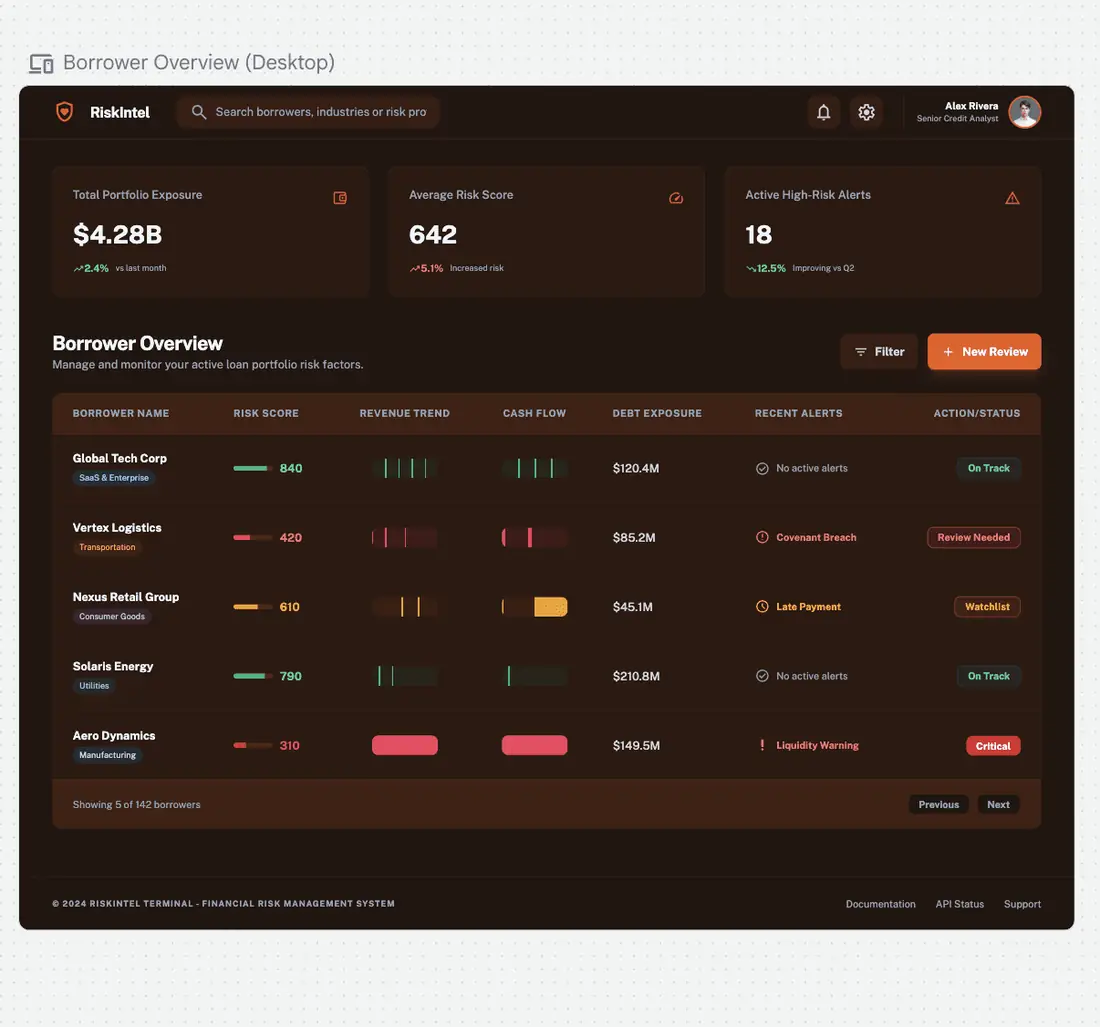
Sketch to prototype
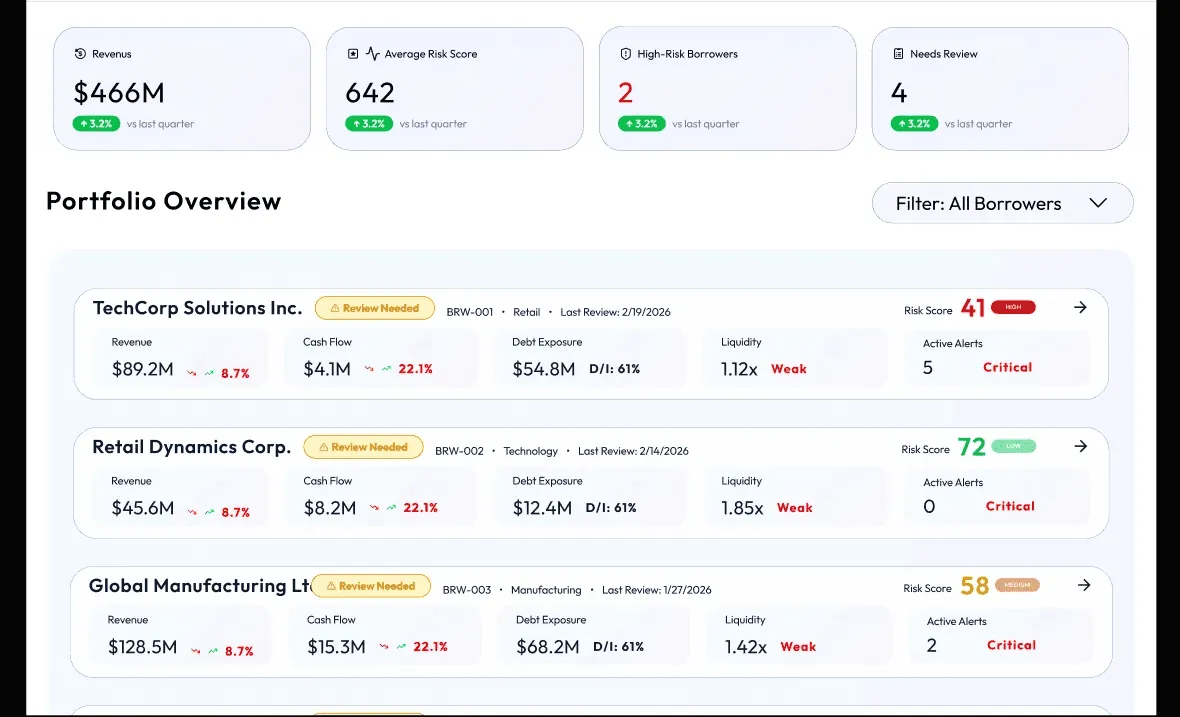
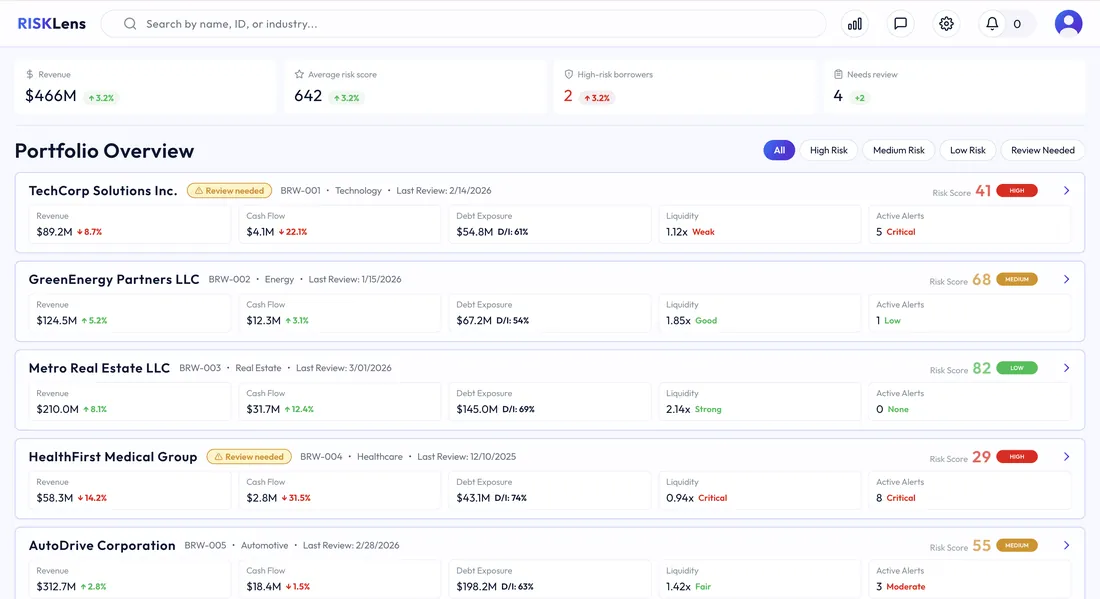
04
Vibe Coding with AI
Connected Figma to Claude Code and built it in React, page by page. It took several iterations to get right, and along the way my prompting and use of tokens got sharper.
Early prompt
"Fetch the portfolio overview frame from Figma and build it."
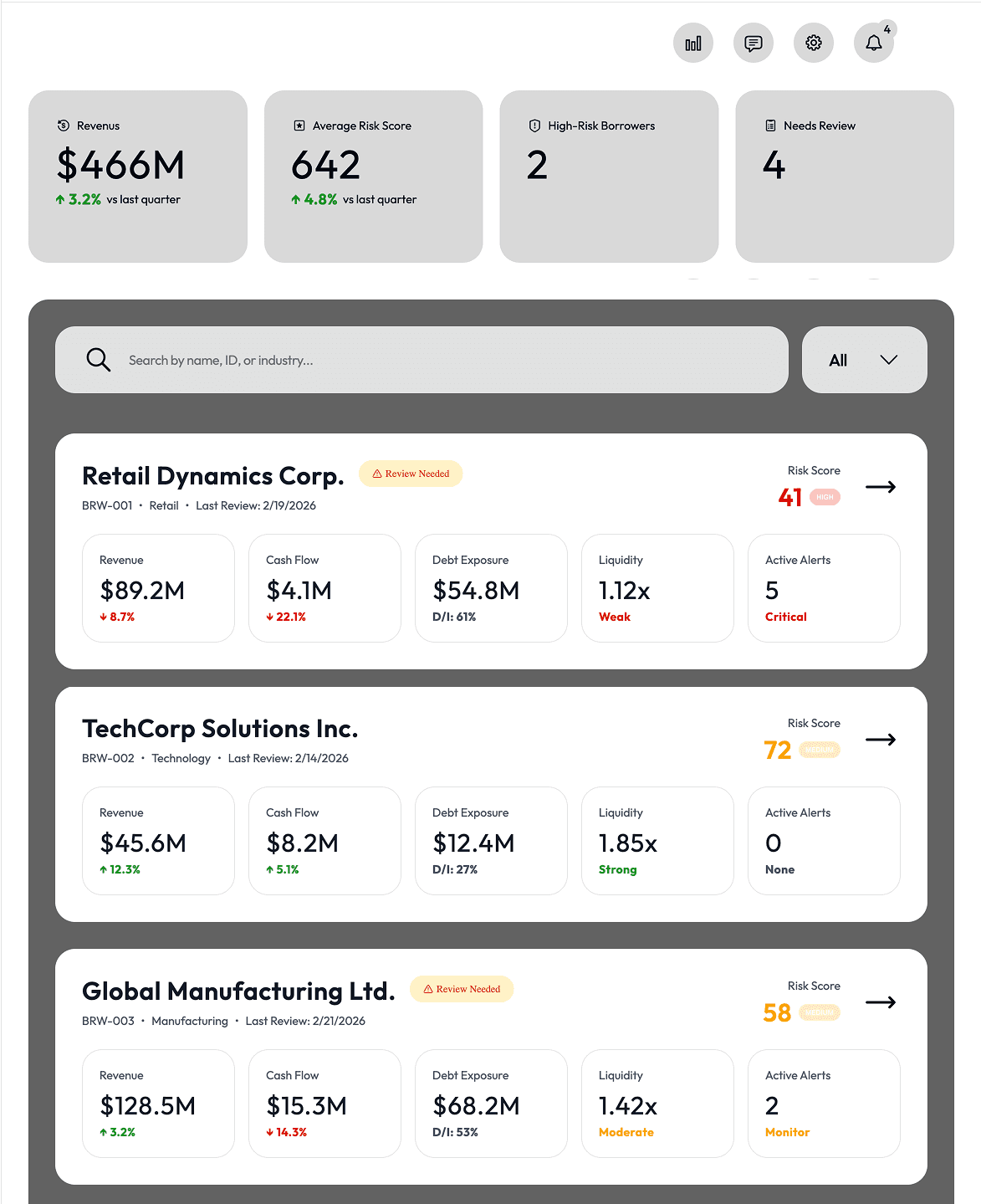
I went from designer
to design critic.
Refined prompt
"Fetch the portfolio overview frame from Figma, along with the color palette and typography from the design system page. Increase the risk score badge font to 32px, add a 2px border, tighten vertical padding to 8px, and increase the gap between cards to 24px."
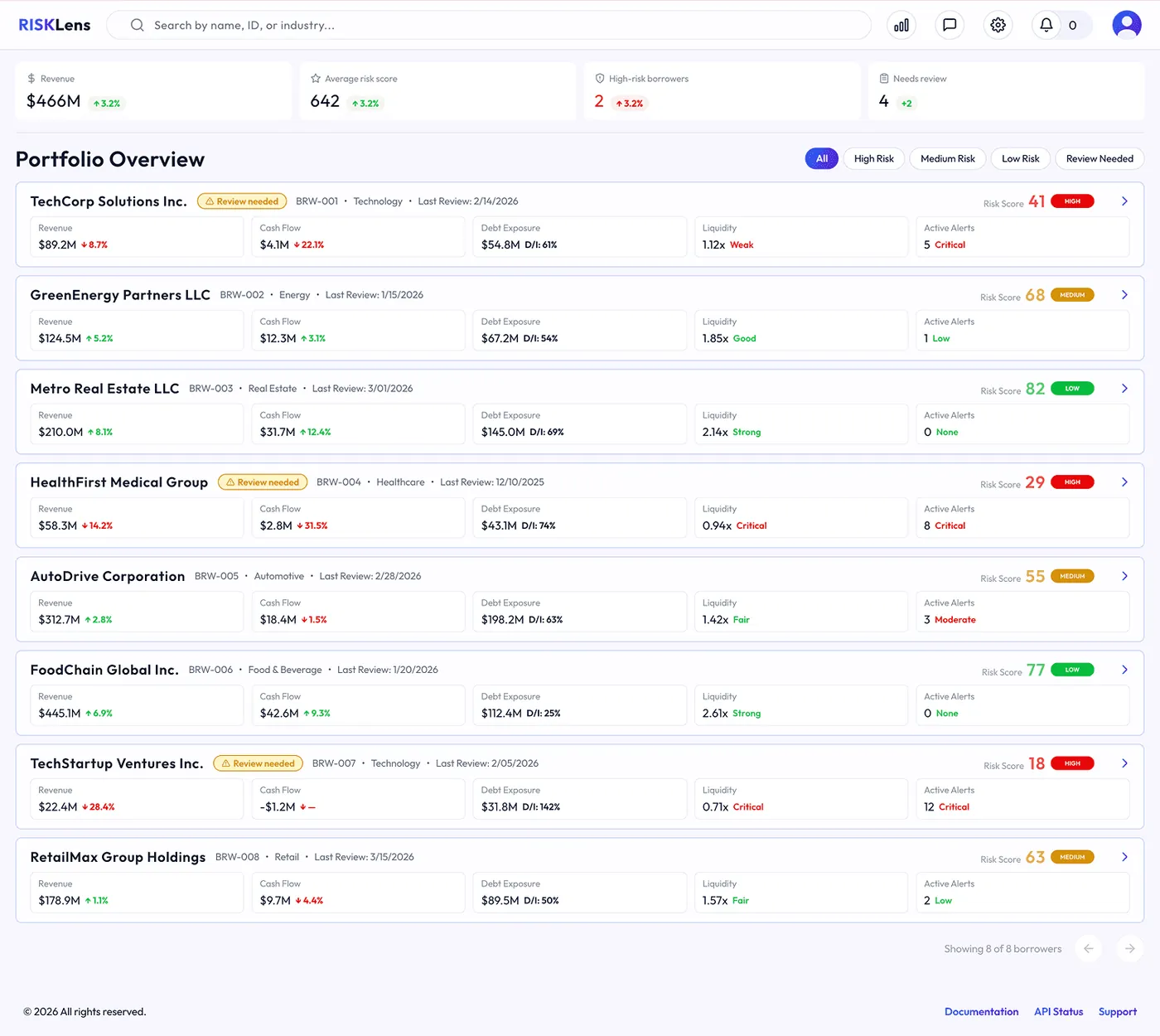
05
Shipping It




The solution
01
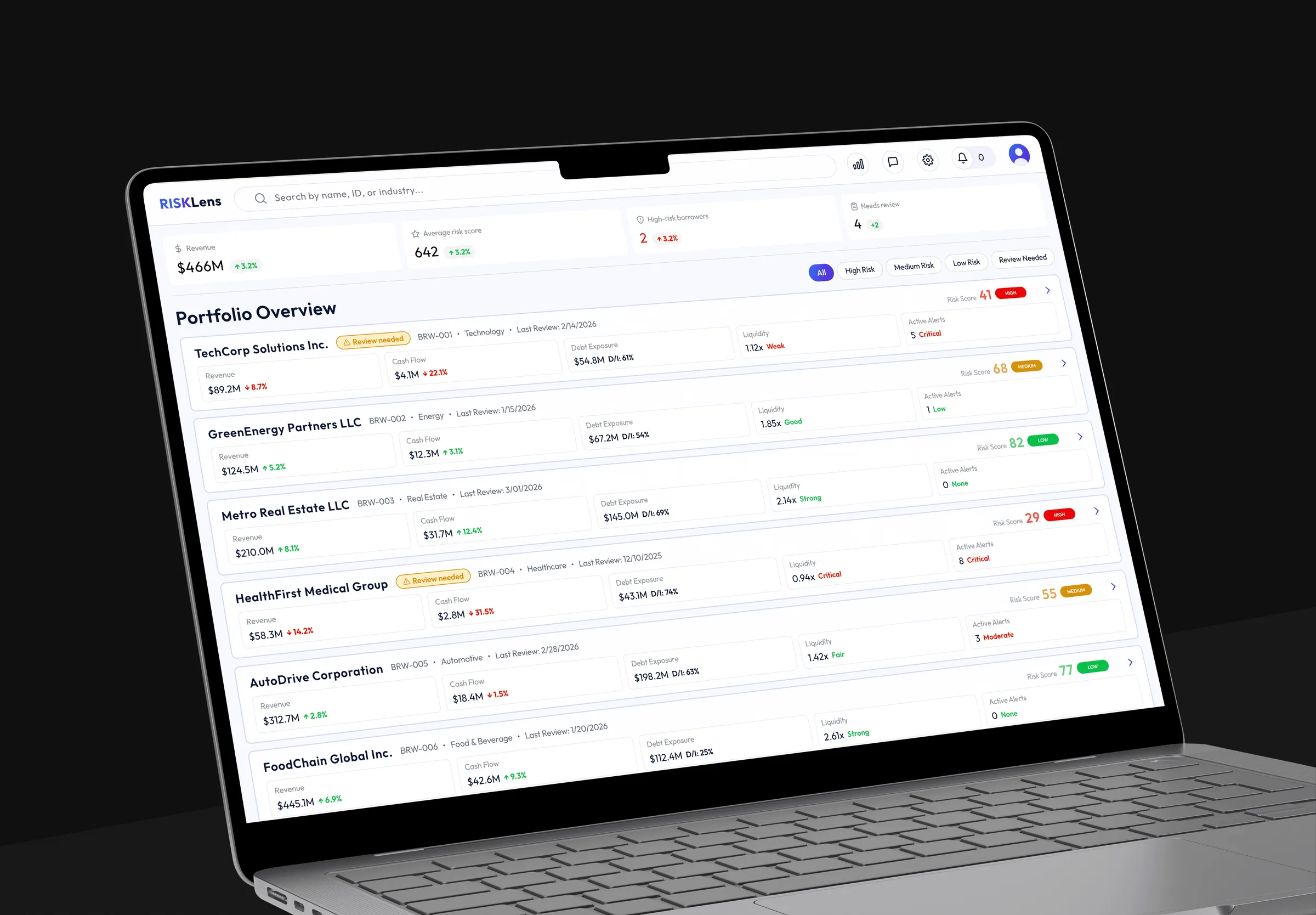
Portfolio Overview
Goal
Help analysts quickly identify which borrowers need attention.
Key Elements
- Card layout for side-by-side comparison
- Risk score and status clearly visible
- Key financial indicators summarized
- Alerts and "Review needed" status highlighted
Outcome:
Analysts can scan the portfolio in seconds and prioritize their work.
02
Risk Analysis Workspace
Problem
Help analysts understand why a borrower is at risk.
Key Elements
- Prominent risk score with status indicator
- Financial health summary (revenue, cash flow, debt, liquidity)
- Performance trends across multiple periods
- Active alerts highlighting risk drivers
- Structured tabs for deeper analysis
- Context panel with notes, covenants, and documents
Outcome:
A clear, decision-focused workflow that enables analysts to quickly identify high-risk borrowers and confidently investigate the drivers behind financial risk.
What I Learned
Prompt engineering is a design skill
AI accelerated execution, not decisions
Design system first, before any screen
Shipped in 2 weeks, research to deployed product.
View live ProductPortfolio Overview — live on Vercel